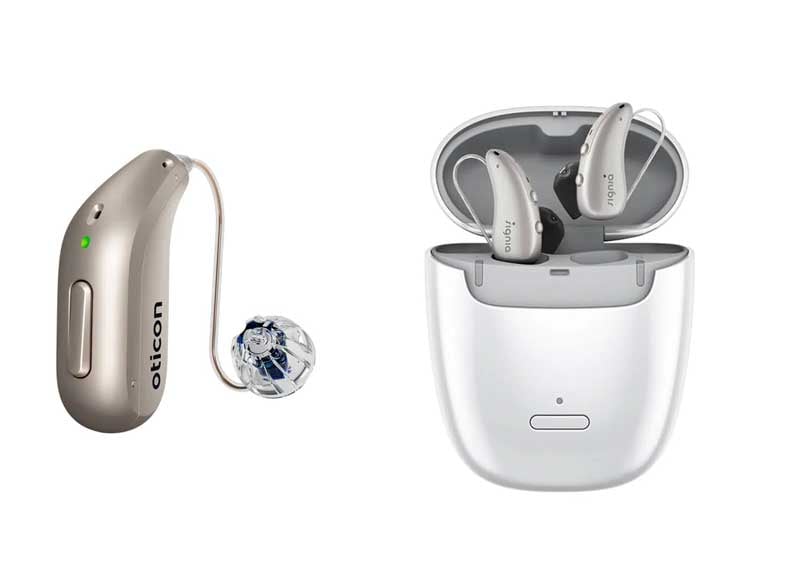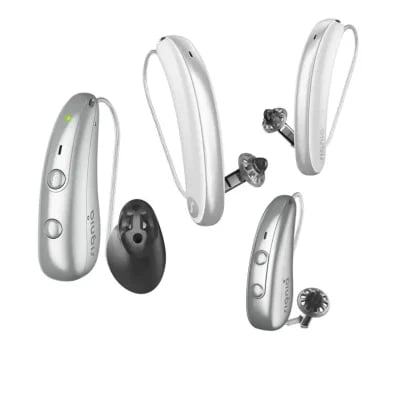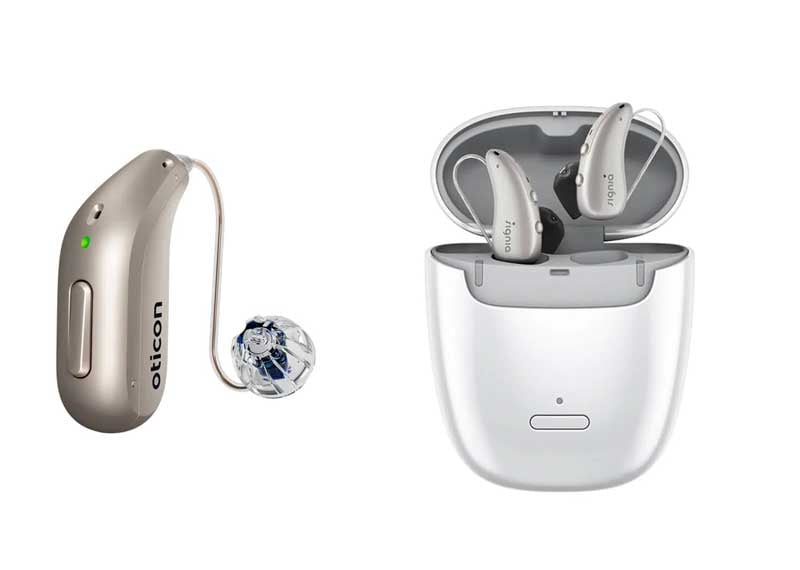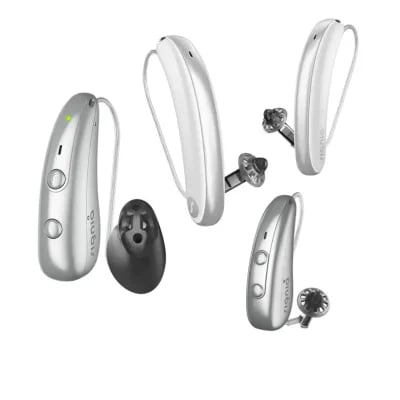
Your hearing aids cost thousands of dollars. The app that controls them? Free. Which might explain why so many people never open it past the first week.
That’s a mistake. Modern hearing-aid apps do far more than adjust volume. They let you switch between listening programmes without fumbling with your ears during a meeting. They help you find aids that slipped behind the couch cushions. They can even connect you to your audiologist for adjustments without leaving home.
This guide covers the practical side of hearing aid apps: setup on iPhone and Android, the features worth learning, privacy settings to check, and when troubleshooting at home won’t cut it.
How Hearing Aids Connect to Your Phone
Most modern hearing aids use Bluetooth Low Energy to talk to smartphones. This connection does two things: it streams audio directly to your ears, and it gives you access to a companion app that turns your phone into a remote control.
Every major manufacturer has their own app. Phonak has myPhonak. Oticon has Oticon Companion. ReSound has Smart 3D, etc. All the same story. The names differ, but the core functionality stays remarkably similar across brands.
The move toward app control isn’t just about convenience. Research in the International Journal of Audiology shows that people who actively adjust their hearing aids report better outcomes across different listening situations. The flexibility these apps provide translates to real-world benefit.
iPhone Setup: The Step Most People Skip
Apple’s Made for iPhone (MFi) protocol has become the benchmark for hearing aid connectivity. Unlike standard Bluetooth Classic, which was designed for headphones and speakers, MFi was explicitly built for hearing aids. The technical difference matters in practice.
MFi uses Bluetooth Low Energy with Apple’s proprietary audio codec optimised for speech. The result: connections that don’t drop when you walk between rooms, battery drain that’s roughly 30% lower than generic Bluetooth streaming, and latency low enough that lip movements match what you hear during video calls. When you stream a phone call through MFi hearing aids, the audio routes directly without the processing delays that plague standard Bluetooth devices.
The protocol also integrates at the operating system level rather than relying solely on a third-party app. This means your hearing aids appear in Control Centre, Siri can adjust volume on command, and audio automatically routes to your aids when you start playing media. Live Listen, Apple’s built-in feature that turns your iPhone into a remote microphone, works natively with MFi aids. Please leave your phone on a restaurant table; it will pick up the conversation from across the table and stream it directly to your ears.
Most manufacturers now support MFi across their premium and mid-range lines. Phonak, Oticon, ReSound, Signia, Starkey, and Widex all offer MFi-compatible models. If you’re an iPhone user, this compatibility should be a factor in your hearing aid selection.
Here’s the setup process. First, make sure your iPhone runs iOS 15 or later. Go to Settings, then Accessibility, then Hearing Devices. Now restart your hearing aids by opening and closing the battery doors, or, if you have rechargeable models, briefly put them in the case and take them out again.
Your hearing aids should appear on screen within 30 seconds. Tap the name, confirm the pairing request for each ear, and you’re connected at the system level.
Now download the manufacturer’s app from the App Store. This secondary app unlocks advanced features beyond basic iOS controls.
At The Audiology Place, we see the same mistake over and over: people skip the Accessibility settings step and try to pair directly through the manufacturer’s app. It won’t work correctly. About 80% of pairing problems trace back to this.
If your aids don’t appear in Accessibility settings, check that Bluetooth is on, restart both devices, and make sure the hearing aids aren’t already connected to someone else’s phone.
Android Setup: A Bit More Variable
Android connectivity has improved a lot with recent updates, though the experience varies more than the iPhone because of the different manufacturers and Android versions floating around. Most current hearing aids use the ASHA protocol, which requires Android 10 or above.
For setup, go to Settings, then Connected devices, then Connection preferences, then Hearing aids. Restart your hearing aids to put them in pairing mode, and select your device when it appears.
Some Android phones require you to pair via the manufacturer’s app rather than the system settings. Check your hearing aid’s quick-start guide if the standard method doesn’t work.
One thing to watch: battery drain during streaming tends to hit harder on Android, especially older phones. If your battery drains during phone calls, check your phone’s battery optimisation settings and exempt the hearing aid app from aggressive power-saving.
Features Worth Learning
Programme Switching
This is the main reason to use the app. Your audiologist programmes multiple listening modes during fitting appointments—Universal, Restaurant, Music, TV, Outdoor, and so on. Each mode adjusts noise reduction, microphone directionality, and frequency response to suit different acoustic environments.
The app lets you switch between programmes instantly without touching your ears or walking into a noisy restaurant. Two taps. The aids change their behaviour to help you hear conversation over background clatter.
At The Audiology Place, we verify these programmes using Real Ear Measurement—placing a tiny microphone in your ear canal to confirm that the aids deliver the correct sound levels for your hearing loss. This step matters because manufacturer “first fit” settings often miss the mark. During follow-up appointments, we can add custom programmes for specific situations: your particular church with its unusual reverb, your open-plan office, wherever you struggle most.
Beyond programmes, apps let you tweak volume, bass and treble balance, and streaming volume independently from environmental sound. These changes stay temporary unless you save them, so experiment without worrying about messing up your settings.
Find My Hearing Aid
Losing hearing aids ranks high among the things patients worry about. Modern apps track the last location where your phone detected the devices, displaying it on a map with reasonable accuracy within 10 to 15 metres.
Most apps also include a “play sound” option that triggers a loud tone from the aids. Invaluable when they’ve slipped down the side of your armchair or ended up in a jacket pocket.
The catch: this only works when the hearing aids are on. Aids in a closed case or with dead batteries won’t respond.
Some advanced apps now switch programmes automatically based on your location—your aids might shift to “café mode” when you arrive at your regular coffee shop. Clever, though the privacy implications deserve consideration.
Tinnitus Sound Therapy
Many apps include sound generators for tinnitus management, such as ocean waves, white noise, and customisable tones. These can layer over your environmental hearing or play during quiet moments.
Sound therapy works best as one part of a broader tinnitus management approach, ideally alongside counselling with an audiologist experienced in tinnitus rehabilitation. At The Audiology Place, we offer comprehensive tinnitus assessment and management that goes well beyond the app’s built-in features.
Remote Adjustments
Many apps now allow your audiologist to modify settings during a video consultation, with changes sent to your aids in real time. For minor tweaks—adjusting gain for specific frequencies, fine-tuning noise reduction—this saves you a trip.
Remote care has clear limits. Initial fittings should always include in-clinic Real Ear Measurement verification. Research in Ear and Hearing confirms that hearing aids fitted with REM show significantly better speech understanding than those programmed to manufacturer defaults alone. Physical comfort issues, feedback problems, and diagnostic testing all require face-to-face appointments, too.
At The Audiology Place, we use remote adjustments for established patients needing minor modifications. We don’t compromise on verification protocols or skip thorough assessment when symptoms suggest something beyond simple programming needs.
Privacy: What These Apps Actually Collect
Privacy concerns about hearing-aid apps are legitimate. These applications typically collect several categories of data: usage patterns (hours worn, programmes selected), listening environments (noise levels, speech detection), health metrics (some track activity, falls, or “cognitive engagement”), and location data when enabled.
Managing Your Data
Start by reading the privacy policy during setup. Yes, it’s tedious. Do it anyway.
Look for Privacy, Data, or Permissions sections in the app settings. From there, you can usually disable location tracking, opt out of analytics sharing, and control whether data goes to manufacturer servers or stays local on your phone.
Most manufacturers aggregate anonymised usage data for research. If you’re comfortable contributing to hearing healthcare research, leave analytics on. If not, you can typically turn this off without affecting how the app works.
For location-based features, consider enabling permissions only “while using the app” rather than “always.” This reduces background tracking while keeping Find My Hearing Aid functional when you need it.
Bluetooth Security
Hearing aid Bluetooth connections use encrypted protocols. Interception is extremely difficult. The pairing process requires physical access to the aids during a narrow time window, preventing random connection attempts.
Keep your phone’s operating system up to date to patch any discovered vulnerabilities. If you have particular privacy concerns—perhaps work-related—mention them during your consultation. Some models offer stronger privacy protections than others, and this can factor into which aid suits you best.
Firmware Updates
Hearing-aid firmware updates work like phone operating system updates: bug fixes, performance improvements, and sometimes new features. They come through the app and typically take 10 to 20 minutes per ear. You can’t wear the aids during the update.
Schedule updates for when you won’t need your aids—before bed works excellently. Make sure they’re fully charged (or have fresh batteries), keep your phone within a metre, and don’t interrupt the process.
Occasionally, updates subtly change sound quality as manufacturers refine their processing. If things sound different after an update and you don’t like it, contact your audiologist. They can often restore previous settings or adjust programming to compensate.
Troubleshooting: What You Can Fix vs. When to Come In
Problems You Can Usually Solve
Most connectivity issues resolve with basic troubleshooting. Work through these in order: restart your phone; restart the hearing aids (open and close battery doors, or use the charging case); forget the device in your phone’s Bluetooth settings and re-pair from scratch; make sure no other devices are trying to connect to your aids; update the app and your phone’s operating system.
Crackling or dropouts during streaming often mean interference. Move away from wireless routers, microwaves, or other Bluetooth devices. If call quality specifically deteriorates, that might be your phone network rather than your hearing aids.
When to Book an Appointment
Some symptoms need professional assessment. Book in if you notice: persistent feedback (whistling) that wasn’t there before and doesn’t resolve with cleaning; sudden changes in sound quality, especially distortion or missing frequencies; physical discomfort or irritation; hearing that’s noticeably worse despite properly working aids; balance problems or ear fullness.
At The Audiology Place, we recommend six-monthly check-ups regardless of symptoms. These preventive appointments include cleaning, wax management, electroacoustic analysis to verify that the aids meet specifications, and a brief hearing screening to monitor stability. Research consistently shows that regular professional support correlates with longer hearing aid lifespan and higher satisfaction.
Factory Reset: Last Resort
If troubleshooting fails, most hearing aids can be factory reset via the app or programming software. This wipes all customised settings back to manufacturer defaults. Only attempt this if your audiologist recommends it; you’ll need a follow-up appointment to restore your personalised programming and verification.
Information, Not Medical Advice
This article provides general information about hearing aid apps. It doesn’t constitute medical advice for your individual circumstances. Hearing loss varies enormously between people, and optimal management requires personalised assessment by a qualified audiologist.
If you experience sudden changes in hearing, ear pain, discharge, dizziness, or worsening tinnitus, see a healthcare professional promptly. These symptoms may indicate conditions that require medical intervention beyond hearing-aid adjustment.
Getting More From Your Investment
Hearing aid apps genuinely improve user autonomy. The ability to adapt your aids to immediate challenges, locate misplaced devices, and access support remotely enhances both practical function and confidence.
Technology remains a tool that supports clinical expertise rather than replacing it. The best outcomes come from partnerships between engaged patients who use their technology’s features and experienced audiologists who provide evidence-based verification, ongoing monitoring, and individualised troubleshooting.
At The Audiology Place, we maintain a brand-agnostic, patient-centred approach. We’re independent of hearing aid manufacturers, which means no sales pressure and no commission-driven recommendations. We select technology based on your specific hearing profile, lifestyle, dexterity, and budget—not manufacturer relationships. This independence allows us to recommend the app ecosystems and features that genuinely meet your needs.
Whether you’re just starting your hearing journey or optimising devices you’ve worn for years, mastering your hearing aid app helps you hear better in the situations that matter most. And when questions arise that technology can’t answer, we’re here to help.
Need help with your hearing aids? Book an appointment at The Audiology Place in Forestville. Call (02) 9452 5185 or visit theaudiologyplace.com.au to schedule online.
Always read the instructions for use. Follow the instructions for use.