
Bluetooth hearing aids stream audio directly from your smartphone, tablet, or TV into your hearing aids, so phone calls, music, podcasts, and navigation prompts play through both ears instead of through a phone speaker you’re struggling to hear. This isn’t a nice-to-have feature anymore—it’s become standard on most hearing aids above about $2,500 per aid—but the technology works differently depending on which brand you choose, which phone you own, and what you’re actually trying to connect to.
After setting up Bluetooth connections for thousands of patients at The Audiology Place, I can tell you the gap between what people expect and what actually happens is still frustratingly wide. Marketing materials show someone tapping their phone and smiling. Reality involves more troubleshooting than anyone admits, and there are meaningful limitations you need to understand before you assume your new hearing aids will solve every listening situation.
How Bluetooth Hearing Aids Actually Work
Most modern hearing aids use Bluetooth Low Energy (BLE) to connect wirelessly to devices. When you’re on a phone call, the audio routes directly into both hearing aids instead of coming out of your phone’s speaker. The microphones in your hearing aids pick up your voice, so you can leave your phone in your pocket or across the room. It’s genuinely useful—especially if you have hearing loss in both ears—because you’re getting sound delivered bilaterally, processed through your hearing aid programming, rather than holding a phone up to one ear and hoping you catch everything.
The same principle applies to music, podcasts, audiobooks, GPS directions, and anything else your phone plays. YouTube videos, Zoom calls, WhatsApp voice messages—all of it can stream directly to your aids. For many people, this is the first time in years they’ve been able to listen to a podcast while walking the dog or follow turn-by-turn directions without missing half the instructions.
The Three Types of Bluetooth Connection
This is where it gets messy, because not all Bluetooth hearing aids connect the same way.
Made for iPhone (MFi) hearing aids connect directly to iPhones and iPads without needing an intermediary device. Apple built this protocol years ago, and it’s been the smoothest, most reliable option for a long time. You pair the aids in your Bluetooth settings, and they generally stay connected without much fuss. Most major hearing aid manufacturers support MFi.
Made for Android hearing aids use a protocol called ASHA (Audio Streaming for Hearing Aids), which Google introduced in 2019. It works similarly to MFi—direct connection, no extra hardware—but it’s only available on Android 10 and later, and not every manufacturer has adopted it as quickly. Some Android phones also handle Bluetooth connections less reliably than iPhones, though this has improved.
Classic Bluetooth hearing aids use standard Bluetooth protocols, which means they can theoretically connect to anything: iPhones, Androids, laptops, tablets. The trade-off is that battery life tends to be shorter, and connection stability varies more between devices. Some manufacturers are moving toward this universal approach because it’s simpler for patients who switch phones or use multiple devices.
The practical upshot: if you have an iPhone, nearly every modern hearing aid will connect directly. If you have Android, check that the specific model supports ASHA and that your phone runs Android 10 or later. If you use a laptop or older tablet regularly, ask whether the aids use classic Bluetooth or whether you’ll need a separate streamer.
What You Can Actually Expect to Use Bluetooth For
The most common use case we see is phone calls. Being able to hear the caller in both ears, with the sound processed through your hearing aid programming, is a significant improvement over holding a phone to one ear or using speakerphone. Hands-free calling works well once it’s set up—you answer the call by tapping a button on the hearing aid itself or on your phone, and the aids pick up your voice through their microphones.
Streaming music and podcasts is popular, though it drains the battery faster than normal use. Expect to get about four to six hours of continuous streaming before the disposable zinc-air batteries die, or a full day with rechargeable aids if you’re streaming intermittently. Sound quality is generally good—better than earbuds for many people, because the audio is being shaped by your hearing loss prescription—but it’s not audiophile-grade. There’s some compression, and bass response is limited by the physical size of the hearing aid receiver.
TV streaming requires a separate accessory for most hearing aids. The TV Streamer (or TV Connector, depending on the brand) plugs into your television and transmits audio wirelessly to your aids. This is useful if you watch TV alone or if your family is tired of cranking the volume. The streamer costs between $200 and $400, and it works with most modern TVs—though I’ve troubleshot more HDMI ARC issues than I care to count.
Navigation apps are quietly one of the best applications. Google Maps or Apple Maps speaking directions directly into your aids while you’re driving means you’re not missing turns or fumbling with volume.
The Limitations No One Talks About in the Brochure
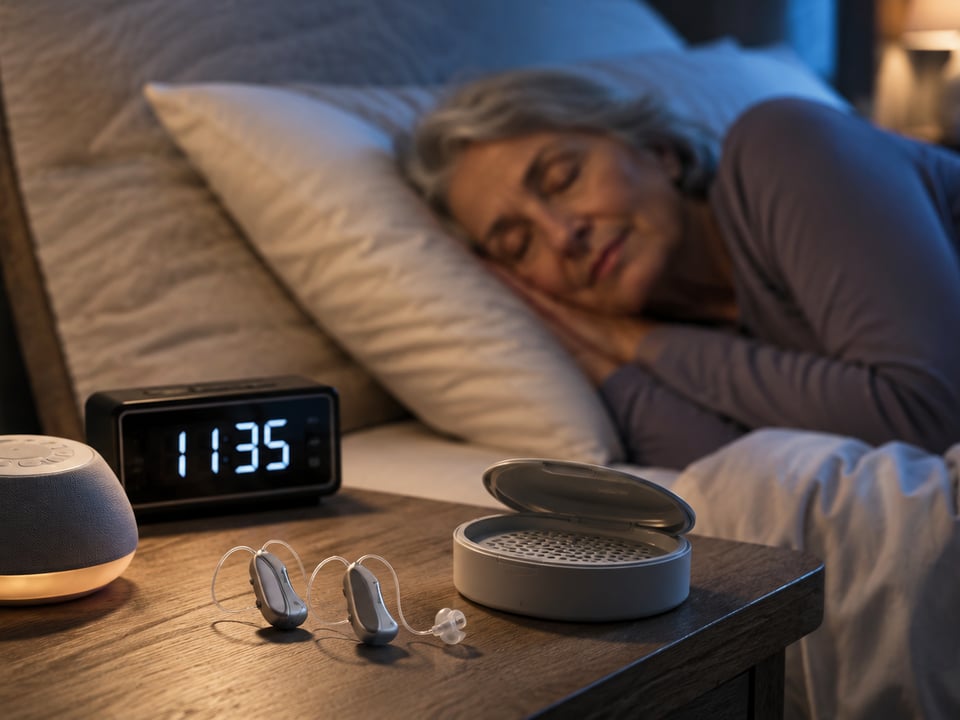
Battery drain is the big one. Streaming audio pulls more power than amplifying environmental sound, so you’ll go through batteries faster or need to charge your aids more often. If you’re streaming for several hours a day, disposable batteries might last three or four days instead of a week. Rechargeable aids handle this better—you just plug them in every night—but even then, heavy streaming can sometimes mean they don’t quite make it to bedtime.
Connection dropouts happen. Bluetooth is better than it used to be, but you’ll still experience occasional disconnections, especially in areas with lots of wireless interference—shopping centres, airports, busy cafes. Sometimes the aids reconnect automatically. Sometimes you’ll need to toggle Bluetooth off and on. It’s not constant, but it’s not zero either.
Latency exists, though it’s usually not noticeable for phone calls or music. You might notice a slight delay if you’re watching video, where the audio arrives a fraction of a second after the picture. Most people adapt quickly, but it can be distracting at first.
Compatibility issues are real. Older phones, tablets, or computers might not support the Bluetooth protocol your aids use. Some apps don’t play nicely with hearing aid streaming—Zoom, in particular, has had intermittent problems depending on the platform and hearing aid brand. We test connections with your actual devices during the fitting appointment for this reason, but there’s always some trial and error when you get home.
What We Do During the Fitting
At The Audiology Place, setting up Bluetooth connectivity is part of the hearing aid fitting process, not an optional extra. We pair your aids with your phone, walk through how to answer calls, adjust streaming volume, and switch between your phone’s audio and the hearing aid microphones. We also troubleshoot any connection issues on the spot—because if it doesn’t work reliably in the clinic, it won’t work at home.
If you use an Android phone, we check that your device supports ASHA and update the phone’s software if needed. If you want TV streaming, we help you choose a compatible streamer and explain how to set it up (or we’ll do it during a home visit if that’s part of your fitting package). We also adjust the streaming equalisation settings in the hearing aid software, because the default streaming profile often has too much treble or not enough volume.
This isn’t something you should be figuring out from a YouTube video at home. If your clinician hands you hearing aids and says “just connect them like regular Bluetooth,” you’re probably not getting the level of support you’re paying for.
Is Bluetooth Worth Prioritising When Choosing Hearing Aids?
If you use a smartphone regularly—calls, messages, apps, navigation—then yes, Bluetooth streaming is worth having. It’s not a gimmick. It’s genuinely useful, especially for phone calls, and it’s become standard enough that most aids in the mid-to-premium price range ($2,500+ per aid) include it.
If you rarely use a phone and mostly want help hearing conversation in quiet and noisy environments, Bluetooth is less critical. Focus first on the hearing aid’s core amplification and noise reduction performance, which is still what matters most for day-to-day hearing. Bluetooth is a convenience feature, not a substitute for proper fitting and programming.
And if you do choose Bluetooth-enabled aids, set aside time during your fitting to actually learn how to use them. The technology works, but only if you know how to troubleshoot the inevitable connection hiccup at 7am when you’re trying to answer a call from your daughter.