A Troubleshooting Guide
There’s nothing quite as frustrating as reaching for your hearing aids in the morning, inserting them carefully, and hearing… nothing. Or perhaps they’ve been working perfectly for weeks and have suddenly decided to produce distorted sound, cut in and out, or serve up that dreaded high-pitched whistle. Before you panic or assume your devices need expensive repairs, know this: the overwhelming majority of hearing aid failures have simple, fix-it-yourself solutions.
This is something we see almost daily in clinic. A patient arrives convinced their AU$5,000 hearing aids have died, only to discover a tiny piece of earwax has blocked the receiver, or the rechargeable battery has hit the end of its three-year lifespan. Research published in the International Journal of Audiology found that roughly 60% of hearing aids brought in for repair required no technical intervention at all — the issue was cleaning, a battery, or a simple adjustment. This guide walks you through the same logical troubleshooting process we use in clinic, so you can identify and usually fix the problem yourself before booking an appointment.
Important: This information is educational and does not replace professional audiological advice. If you experience sudden hearing loss, pain, discharge, or significant changes in your hearing, contact your audiologist or GP immediately.
Why Hearing Aids Stop Working
Modern hearing aids are genuinely remarkable. They pack sophisticated digital processors, multiple microphones, wireless antennae, and miniaturised speakers into a device smaller than a twenty-cent coin. Despite being built to last, they operate in one of the most hostile environments imaginable: a warm, moist, wax-producing human ear canal.
Most problems fall into three categories: power issues, physical blockages, or connectivity problems. Once you know what you’re looking for, most failures stop being mysterious.
Step One: Check Your Power Source
Rechargeable Hearing Aids
Start by placing your aids in their charging case and making sure the case itself is plugged into a working outlet. Check for indicator lights confirming the charge is happening. No light? Try a different outlet, or check the cable is fully seated at both ends.
Rechargeable lithium-ion batteries typically last three to five years before their capacity starts to drop. If your aids are older than three years and you’re noticing they die well before end of day when they used to make it through comfortably, the cells likely need professional replacement.
Disposable Battery Hearing Aids
Replace the battery with a fresh one from a newly opened packet. This sounds obvious, but zinc-air batteries start discharging the moment you pull the protective tab, so one that’s been sitting open in your drawer may already be spent. After removing the tab, wait 60 seconds before inserting the battery — this gives oxygen time to activate the zinc compound properly, which genuinely extends the battery’s life.
While you have the compartment open, check the battery contacts for any white or green deposits. A cotton bud can clean these up gently.
Step Two: Inspect for Wax and Debris
Cerumen — earwax — is the single most common cause of hearing aid sound issues. Your ear produces it for good reason, but it has no interest in accommodating your hearing aids, and will happily block the receiver or sound outlet at the first opportunity.
Check the Wax Guard
Most modern hearing aids use small disposable wax guards at the sound outlet. These are designed to be replaced regularly — roughly monthly, though people who produce more wax may need to replace them more often. A blocked guard looks discoloured — yellow, orange, or brown — or will have visible debris. If you have replacement guards, follow the manufacturer’s instructions. The tool is usually two-ended: one end pulls the old guard out, the other inserts the new one. If you’re out of guards, contact your clinic to get the correct type for your model.
Check the Dome or Mould
Remove the dome — the soft silicone tip that sits in your ear canal — and hold it up to the light. You should be able to see through the holes or central tube. If it’s blocked, a soft brush or wax pick (usually included with your hearing aids) can clear it. Or just replace the dome if you have spares.
Custom moulds need a different approach. Check the sound bore — the tube that directs sound into the ear — for blockages. Acrylic moulds can be cleaned with warm soapy water; just make sure they’re completely dry before reattaching them.
Step Three: Verify Physical Connections
Receiver-in-Canal (RIC) Hearing Aids
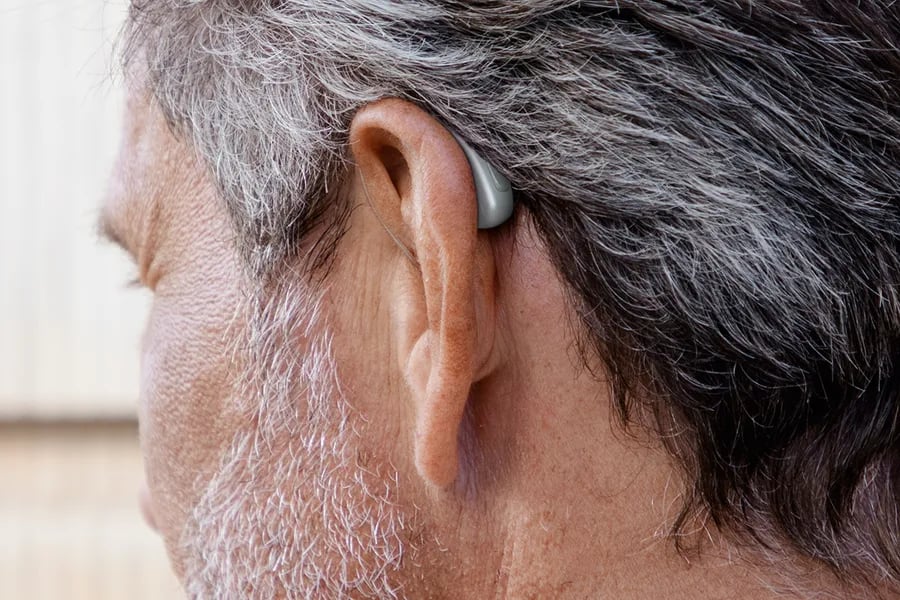
These popular devices use a thin wire connecting the body of the hearing aid behind your ear to the receiver sitting in your ear canal. That wire can work loose, get damaged, or accumulate moisture. Check that the connection point is firmly seated with no visible gap, and scan the wire itself for kinks, damage, or moisture.
Traditional Behind-the-Ear (BTE) Hearing Aids
Inspect the tube connecting the hearing aid to the ear mould. Tubing becomes brittle over time, can develop fine cracks, or fill up with moisture condensation. If you can see water droplets inside, disconnect the tube if possible and use a bulb blower to clear it. Tubing generally needs professional replacement every six to twelve months.
Step Four: Check App Settings and Connectivity
If your aids are producing some sound but seem quieter than usual, or if you recently got a new phone, the problem may be as simple as an accidental setting change. Open your manufacturer’s app and check the volume. Also check which program is active — many aids include multiple listening modes (restaurant, music, speech-in-noise), and switching between them can dramatically change how loud everything sounds.
For streaming or Bluetooth issues, re-pairing usually fixes the problem:
- Turn Bluetooth off then on again on your phone
- Find the hearing aid connection in your phone’s Bluetooth settings and select “Forget”
- Open your hearing aids’ battery doors (or switch them off if rechargeable) for ten seconds
- Close the doors or turn them back on
- Follow your app’s pairing instructions to reconnect
Step Five: Factory Reset
Most modern hearing aids can be restored to their default settings, which resolves many software-related quirks. The method varies by manufacturer — commonly it involves opening and closing the battery door three times in quick succession, or holding the aids in the charging case for ten to fifteen seconds. Check your user manual or the manufacturer’s website for your specific model.
Worth noting: a factory reset may erase personalised settings or paired device connections. Treat it as a last resort before calling the clinic.
When to Call Your Audiologist
The steps above sort out the vast majority of issues. Contact your audiologist if:
- You’ve worked through all the above and there’s still no sound
- The sound is severely distorted or robotic even after cleaning
- You notice physical damage to the hearing aid casing or components
- There’s moisture inside the device that won’t dry out
- You’re experiencing discomfort, ear irritation, or unusual sounds
- Your own voice sounds excessively loud (possible vent blockage)
- The aids were recently adjusted and sound quality has worsened since
Seek urgent medical attention if you experience sudden hearing loss in one or both ears, ear pain with discharge, bleeding from the ear, or dizziness alongside hearing changes. These may have nothing to do with your hearing aids and need proper medical assessment.
What to Expect at Your Appointment
When you do need to come in, the process is straightforward. Your clinician will listen to your hearing aids through a specialised stethoscope to identify distortion or intermittent cutting out, then examine the devices under magnification, checking for micro-cracks, corroded contacts, or internal moisture.
If the device appears to be functioning normally during testing, your audiologist may perform Real Ear Measurement (REM) — an evidence-based verification process that places a tiny microphone in your ear canal alongside the hearing aid to measure the actual sound output you’re receiving. REM confirms your aids are delivering the prescribed amplification across different frequencies. What sometimes feels like a device failure is actually inadequate programming, and a recalibration is all that’s needed. REM is the gold standard for hearing aid fitting and verification, recommended by Audiology Australia and international best-practice guidelines.
Your audiologist may also run updated audiometric testing to check whether your hearing has changed since your last assessment. Gradual hearing deterioration can make properly functioning aids seem less effective — at which point reprogramming solves the problem, not replacement.
At The Audiology Place, we take a brand-agnostic, independent approach to everything we do. If your hearing aid genuinely needs repair or replacement, you’ll get honest guidance based on your situation alone — no manufacturer relationships, no sales targets. We’ll also walk you through warranty coverage, out-of-pocket repair costs, and whether your specific issue falls under your existing agreement.
Emergency and Same-Day Options
Most hearing aid issues aren’t true emergencies, but that doesn’t make them feel any less urgent, particularly if you rely on your aids for work, safety, or just being able to hold a conversation. Most audiology clinics, including ours, hold same-day slots for genuine urgent cases. Call first thing in the morning and explain the situation clearly.
If you can’t reach your regular audiologist, options include contacting the hearing aid manufacturer’s customer service line (many offer phone troubleshooting), visiting another clinic, using any backup aids you’ve been given, or using assistive listening apps as a temporary bridge.
For after-hours situations involving pain, discharge, or sudden hearing loss unrelated to your devices, contact your state’s health advice line — 13 HEALTH (13 43 25 84) in Queensland — for triage guidance.
Preventive Maintenance: Stopping Problems Before They Start
Daily
Wipe your hearing aids with a soft, dry cloth each evening. Inspect the wax guard and clean if visibly soiled. Open battery doors overnight to allow moisture to evaporate. Store aids in a dehumidifier container or electric drying station.
Weekly
Brush the microphone ports gently with the cleaning tool provided. Check tubing or wires for wear. Clean domes or moulds more thoroughly. Assess your battery supply and order replacements if you’re running low.
Monthly
Replace wax guards (or more frequently if you produce significant wax). Replace domes. Deep-clean custom moulds with the appropriate solution.
Every Six Months
Even when everything seems fine, a professional maintenance appointment lets your audiologist reach components you can’t access, verify the programming still matches your hearing, update device firmware, check for early signs of wear, and replace any tubing or wires that are starting to look tired. This preventive approach genuinely extends device lifespan and reduces the likelihood of an unwelcome surprise on a Monday morning.
A Final Word
The great majority of hearing aid issues have simple explanations. Work systematically through the list — power, blockages, connections, settings, reset — and you’ll resolve most problems without needing to come in.
That said, never hesitate to call. We’d far rather spend ten minutes on the phone walking you through a quick fix than have you struggling with non-functioning aids for days. Your hearing aids are medical devices managing a health condition. Making sure they work properly isn’t optional — it’s part of your care.
The first time you hit a “no sound” situation it’s unnerving. The fifth time, you’ll check the wax guard, swap the battery, and be back to normal in three minutes.
Ready for a printable troubleshooting flowchart? Download our one-page guide — keep it with your hearing aid supplies for quick reference.
Need help now? Contact The Audiology Place and speak with a qualified audiologist who can give you guidance specific to your devices and situation.
This article provides educational information and does not replace individual professional advice. Troubleshooting recommendations may vary based on your specific devices, hearing loss, and medical history. Always consult your audiologist for guidance tailored to your circumstances.